The seasonal-guest office, without the paper.
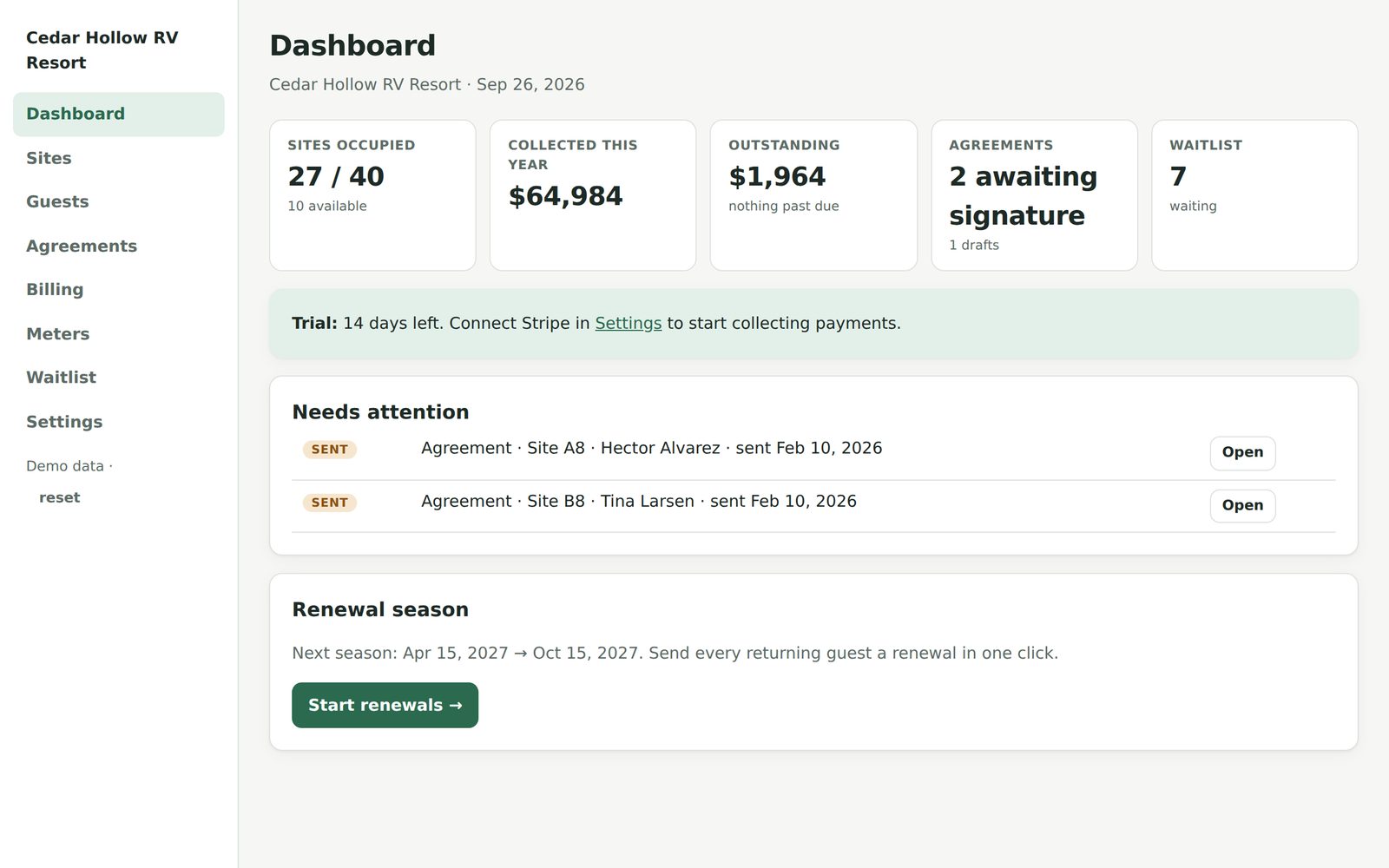
Site agreements signed online. Rent collected on autopay. Electric billed straight from the meter reading. A waitlist that fills the site the day it opens. It runs beside whatever reservation system you already use.
14 days free · no card to start · $59/month after · cancel anytime
Your nightly guests have software. Your seasonals have a binder.
Reservation systems are built for two-night stays. The 40 families who stay April to October get a paper agreement, a check in the mail, and a spreadsheet of meter readings someone types up on the first of the month.
- ✕Agreements signed at the picnic table, filed in a drawer, and hunted for in September when there's a dispute.
- ✕Chasing installment checks, then chasing the ones that bounced.
- ✕Walking the pedestals with a clipboard, then doing the kWh math by hand — and eating the mistakes.
- ✕A waitlist on a legal pad, so an empty site sits empty for a month.
- ✕Renewal season: sixty emails, forty phone calls, and the same conversation about the rate increase forty times.
Four steps. Then it mostly runs itself.
Import your sites and guests from a spreadsheet, pick your agreement wording, connect your bank. From there the software does the asking.
Send the agreement
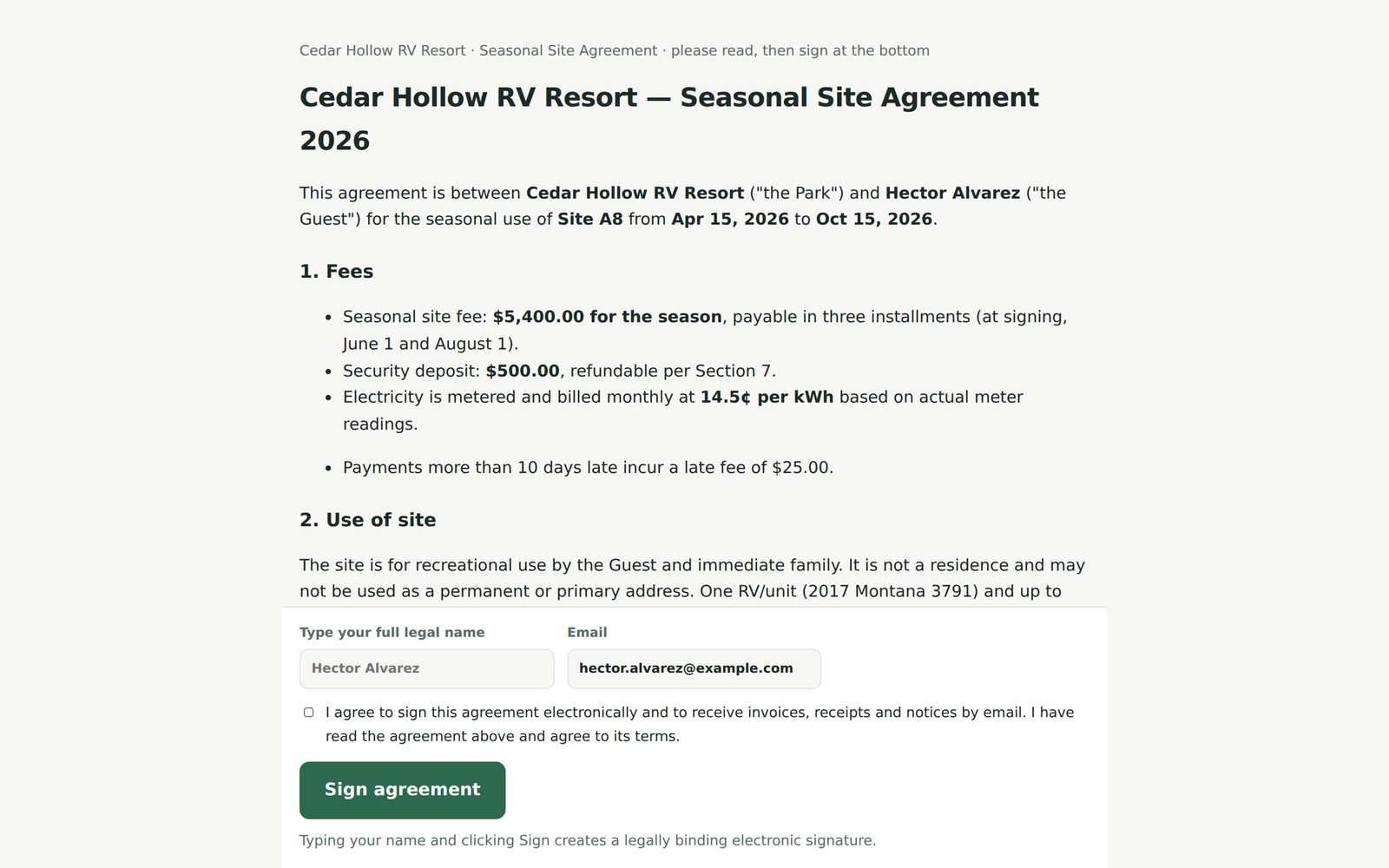
Pick a guest and a site; the agreement fills in from your template. The guest gets a link, reads it on their phone, types their name. You get a signed PDF with time, IP and a tamper-evident fingerprint.
Guest saves a card
Right after signing, they pay the deposit or first installment on a Stripe-hosted page and their card is saved for the season. ACH bank transfer too, if you want lower fees.
Rent and electric bill themselves
Installments go out on the schedule in the agreement. Enter a meter reading (or upload a CSV) and the kWh × your rate lands on the next invoice. Autopay charges the card; failures retry and you're told.
Renew in one click
In the fall, choose your increase, tick the guests you want back, and every renewal goes out at once. Anyone who doesn't sign by your deadline frees the site for the waitlist.
Signed on a phone, filed forever.
Your wording, your rules, your fees — with merge fields for the guest, site, rate and dates. The signature record captures name, email, timestamp, IP address, consent to sign electronically, and a SHA-256 fingerprint of the exact text they agreed to.
- Bulk renewals with a percentage increase
- Signed PDF emailed to guest and park automatically
- Deposits, extra fees, three payment schedules
Stop being the collections department.
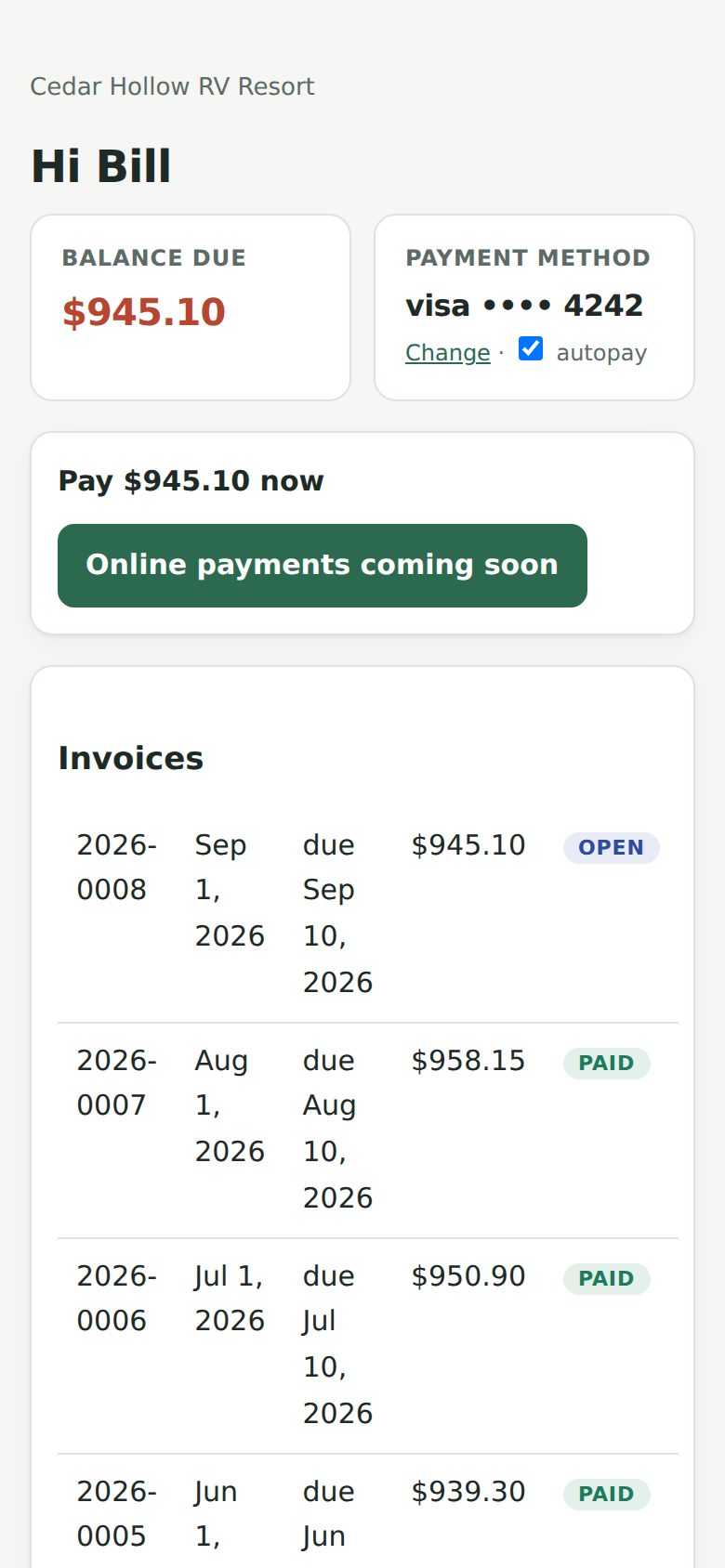
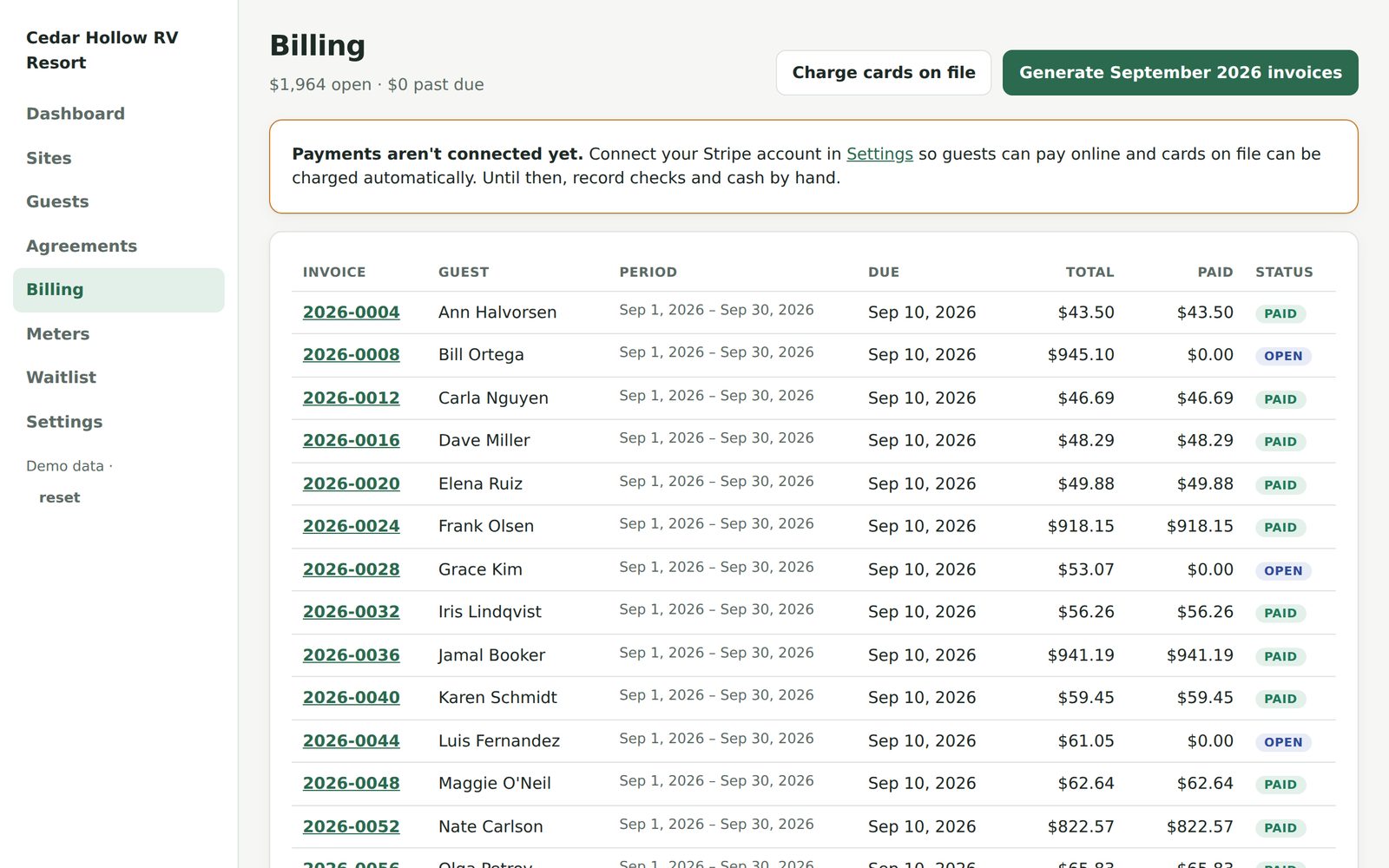
Invoices generate themselves each month from the agreements and meter readings. Cards on file are charged when invoices come due; a declined card gets a polite email and two retries before it ever reaches you. Checks and cash still record in two clicks.
- Money goes to your Stripe account, not ours
- Stripe's standard card and ACH rates — no markup
- Every guest has a portal: balance, pay now, receipts, history
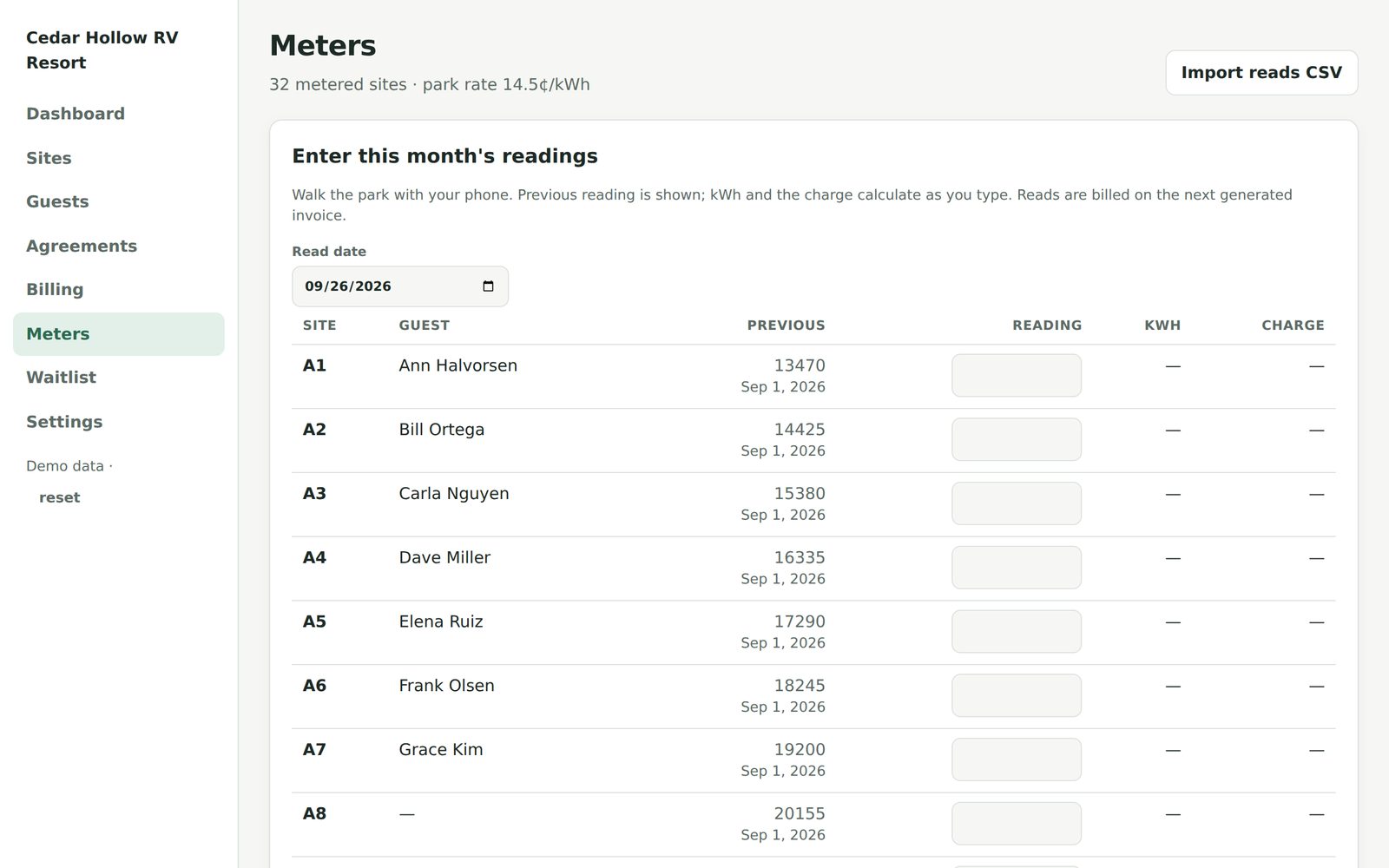
Read the pedestal. We do the arithmetic.
Enter readings from your phone as you walk the loop, or paste a CSV from your meter vendor. The previous reading is remembered, kWh is calculated, and the charge appears on that guest's next invoice at your rate. Guests see their own usage history, which ends most "my bill is wrong" conversations before they start.
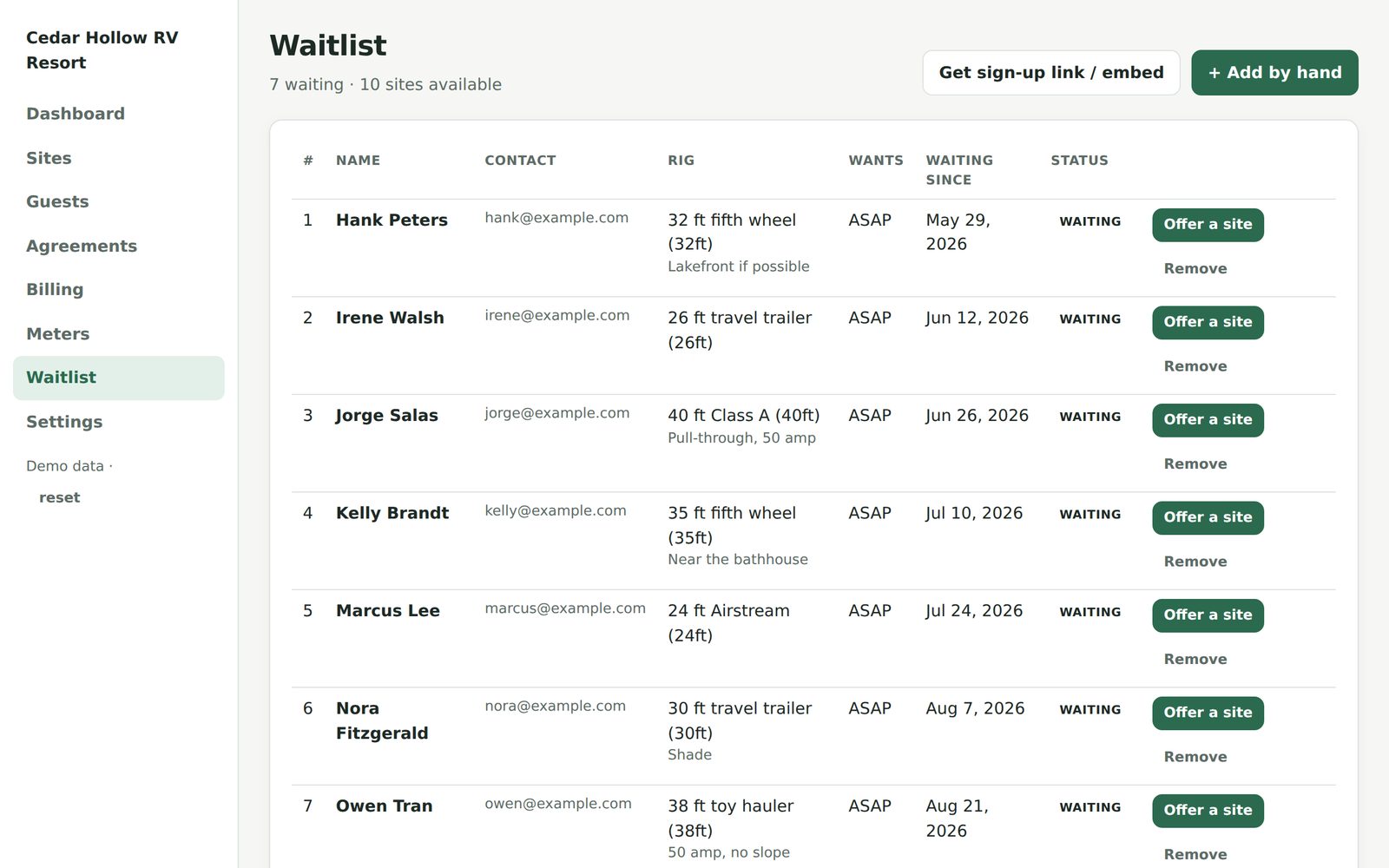
An empty site should never wait for you.
Put a signup form on your website (we give you the link and the embed code). When a site opens, offer it to the next person in line with a 72-hour hold. They accept from their email, and the agreement is one click away.
One flat price. No per-guest fees.
Priced for a family-run park, not a resort chain. Payment processing is billed by Stripe at their published rates and paid from your own Stripe account — we don't add a percentage on top.
$59/month
or $590/year (two months free)
- Up to 100 seasonal sites
- Unlimited guests, agreements and invoices
- Online signing with signed-PDF records
- Autopay, ACH, guest portal, receipts
- Metered electric billing
- Waitlist with public signup form
- Email support from a real person
$99/month
or $990/year (two months free)
- Up to 300 seasonal sites
- Everything in the $59 plan
- Multiple staff logins with roles
- Priority support
No card needed to start. Your trial park is fully working — sign agreements, connect Stripe, take a real payment. If it doesn't earn its keep in two weeks, walk away and keep your data as a CSV.
The ones we get asked first
Does this replace my reservation system?
No, and it isn't trying to. Campspot, CampLife, Newbook and the rest are built for nightly stays. Seasonal Sites handles the annual and monthly guests those systems treat as an afterthought. Keep both; nothing has to migrate.
Are online signatures legally binding for a site agreement?
In the US, the federal ESIGN Act and state UETA laws give electronic signatures the same standing as ink when the signer intended to sign, consented to do business electronically, and the record is kept and attributable. Seasonal Sites records all of that — typed name, explicit consent checkbox, timestamp, IP address, and a cryptographic fingerprint of the exact text — and gives you a PDF of it. As with any contract, have your own attorney look at your wording.
Where does the money go?
Directly to your park's own Stripe account and then to your bank on Stripe's normal payout schedule. Seasonal Sites never holds your funds. You connect Stripe in about three minutes during setup; if you already use Stripe, you can connect the account you have.
What does card processing cost?
Stripe's published rates, charged by Stripe, with nothing added by us. In the US that's currently about 2.9% + 30¢ per card payment; ACH bank transfers are far cheaper (0.8%, capped at $5), which is why many parks nudge seasonals toward ACH for the big installments.
Can I bill electricity in my state?
Most states allow a park to pass through metered electricity at cost; some regulate the rate or require specific disclosures. We show the rate on every agreement and invoice and keep the reading history, which covers the common requirements. See our state-by-state guides for your state's rules, and check your utility's policy for the specifics.
My meter company already reads the pedestals. Do I need this?
Probably yes — meter vendors read meters; they don't sign agreements, run autopay, or chase renewals. Enter their readings by CSV and let Seasonal Sites do the billing side. Direct integrations with the common meter systems are on the roadmap.
How long does setup take?
An afternoon for most parks. Import sites and guests from a spreadsheet (or type them in), paste in your existing agreement wording, connect Stripe. Renewal season is the natural time to switch: send this year's renewals through Seasonal Sites and every returning guest is set up by the time they sign.
What if I stop using it?
Export everything — guests, agreements, invoices, payments, meter readings — as CSV any time, and the signed PDFs are yours to download. Cancel with a click; no contract.
Run this season's renewals in an afternoon.
Start a trial park, paste in your agreement, and send yourself a test agreement to see what your guests will see.