Lot rent, collected without the shoebox.
Leases signed on a phone. Lot rent on autopay. Water and electric billed from your meter readings. Printed invoices for the residents who don't do email. Built for a park with 12 to 150 lots and one person running the office.
14 days free · no card to start · $59/month flat after · cancel anytime
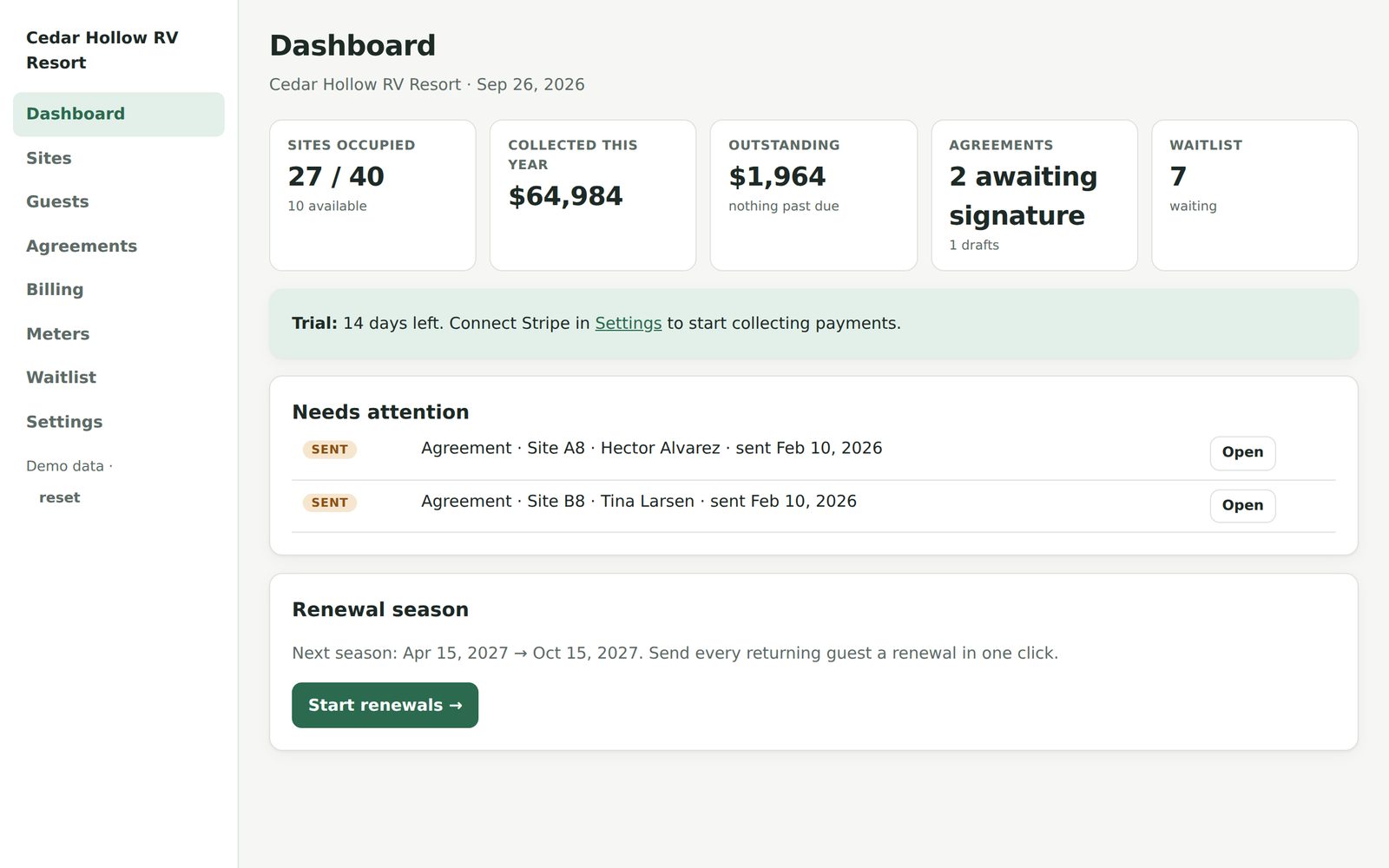
Big-park software costs more than a lot rents for. So you use a ledger.
Rent Manager and Buildium are built for 500-unit operators with an accounting department. A 40-lot community gets a checkbook register, a folder of leases, and an afternoon every month reading meters and writing up who's behind.
- ✕Leases signed at the kitchen table and filed in a drawer — until there's a dispute and nobody can find the one that matters.
- ✕Checks and money orders dribbling in all month, then the awkward knock on the door for the ones that didn't.
- ✕Reading water and electric meters on a clipboard, then doing the arithmetic by hand and eating the mistakes.
- ✕Half the residents want to pay online; the other half want a paper bill in the mailbox. Right now you do both by hand.
- ✕A rent increase means forty letters, forty conversations, and forty new lease pages to sign.
Four steps. Then the first of the month runs itself.
Import your lots and residents from a spreadsheet, paste in your lease, connect your bank. From there the software does the asking.
Send the lease
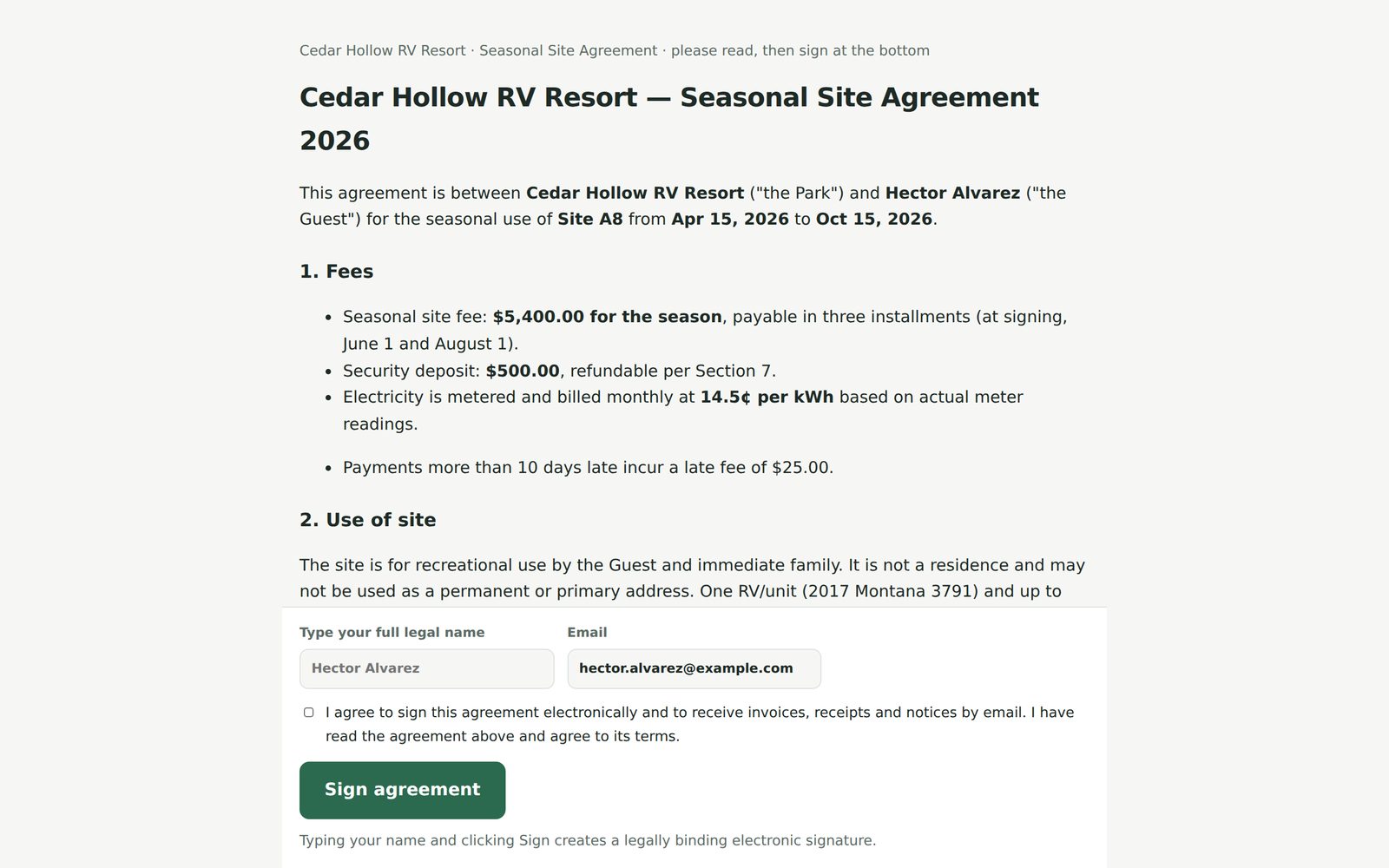
Pick a resident and a lot; the lease fills in from your wording with the rent, dates and fees. They get a link, read it on their phone, type their name. You get a signed PDF with time, IP and a tamper-evident fingerprint. Prefer ink? Print it and record the signed copy.
Resident saves a card or bank account
Right after signing they pay the deposit or first month on a Stripe-hosted page and their card or ACH account is saved. Residents who pay by check or money order still get recorded in two clicks.
Rent and utilities bill themselves
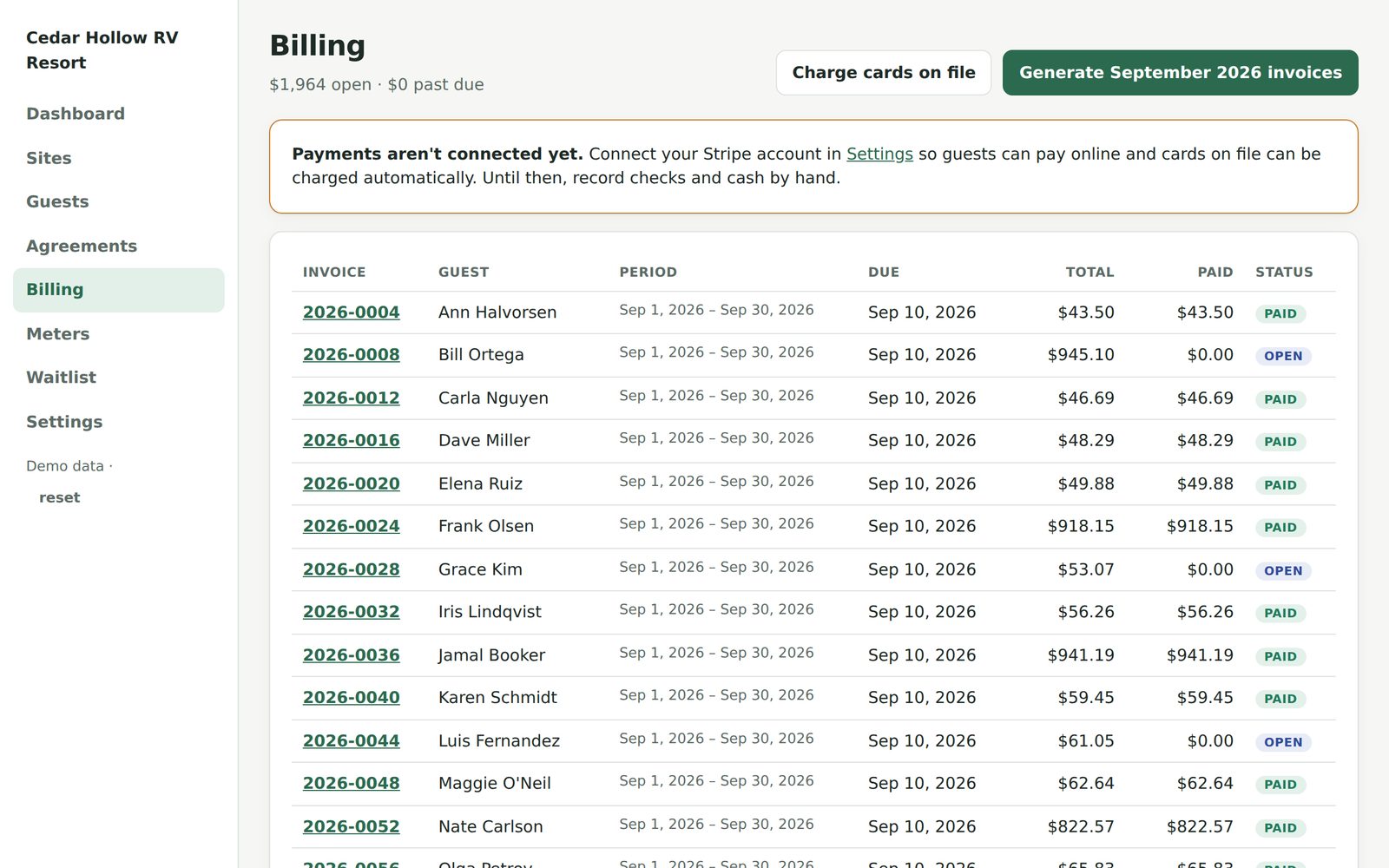
Monthly invoices go out ahead of the due date. Enter meter readings as you walk the park (or upload a CSV) and the usage × your rate lands on the next bill. Autopay charges on the due date; declines retry and you're told. Reminders go out before and after the due date.
Print the rest
One button prints every open invoice, one per page, for the residents without email — ready for the mailbox or the office door. Choose "only residents without an email address" and nobody gets billed twice.
Your lease. Signed on a phone, filed forever.
Mobile home lot tenancies are governed by your state's manufactured-housing or landlord–tenant law, so we don't hand you a generic lease — you paste in the one your attorney or state association gave you, with merge fields for the resident, lot, rent and dates. The signature record captures name, email, timestamp, IP address, consent to sign electronically, and a SHA-256 fingerprint of the exact text they agreed to.
- Annual leases renewed in bulk with a percentage increase
- Signed PDF emailed to resident and office automatically
- Deposits, pet and extra-occupant fees, custom payment plans
Stop being the collections department.
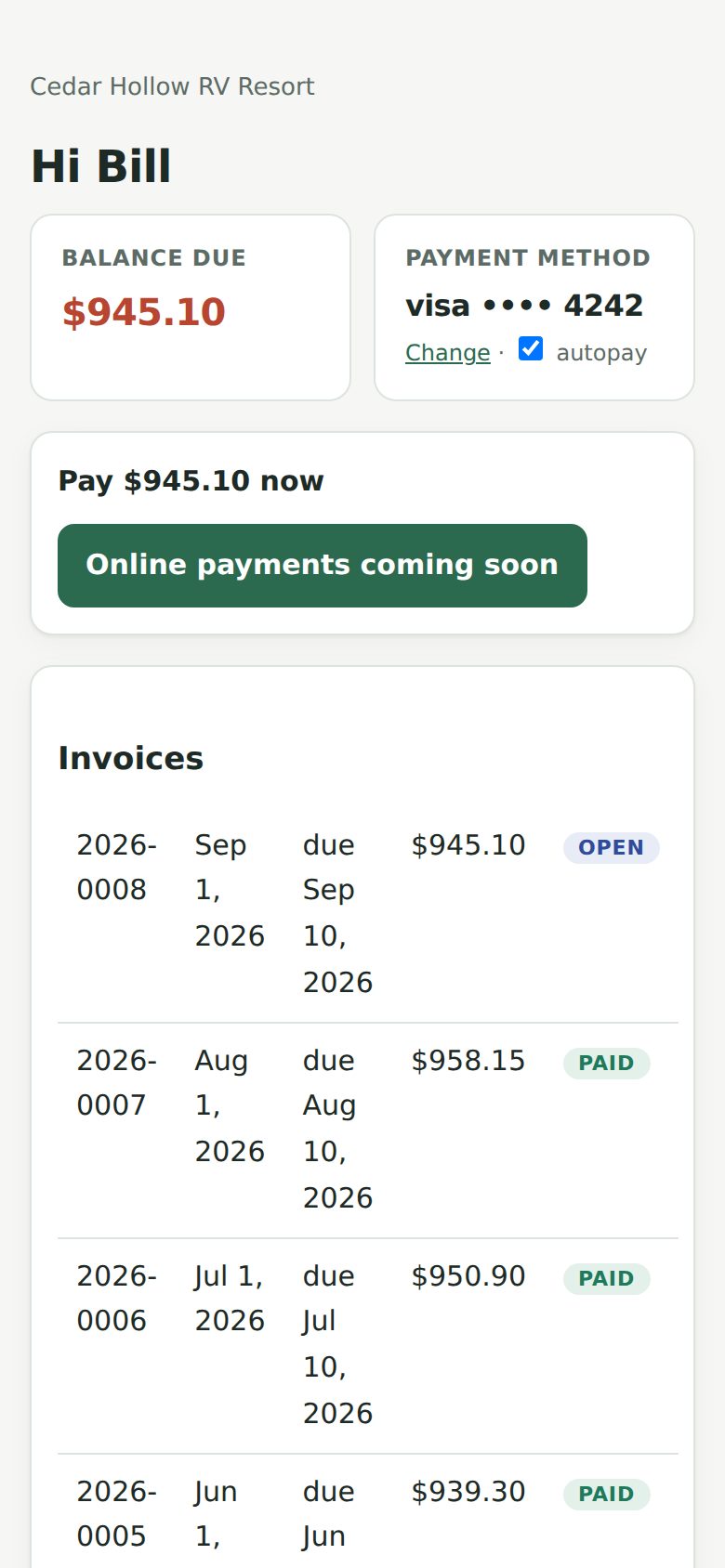
Invoices generate themselves each month from the leases and meter readings. Cards and bank accounts on file are charged when rent comes due; a declined payment gets a polite email and two retries before it ever reaches you. Late fees apply on the day and terms you set.
- Rent goes to your Stripe account, not ours
- ACH bank transfer at 0.8% (capped at $5) — cheaper than a money order
- Every resident has a portal: balance, pay now, receipts, history
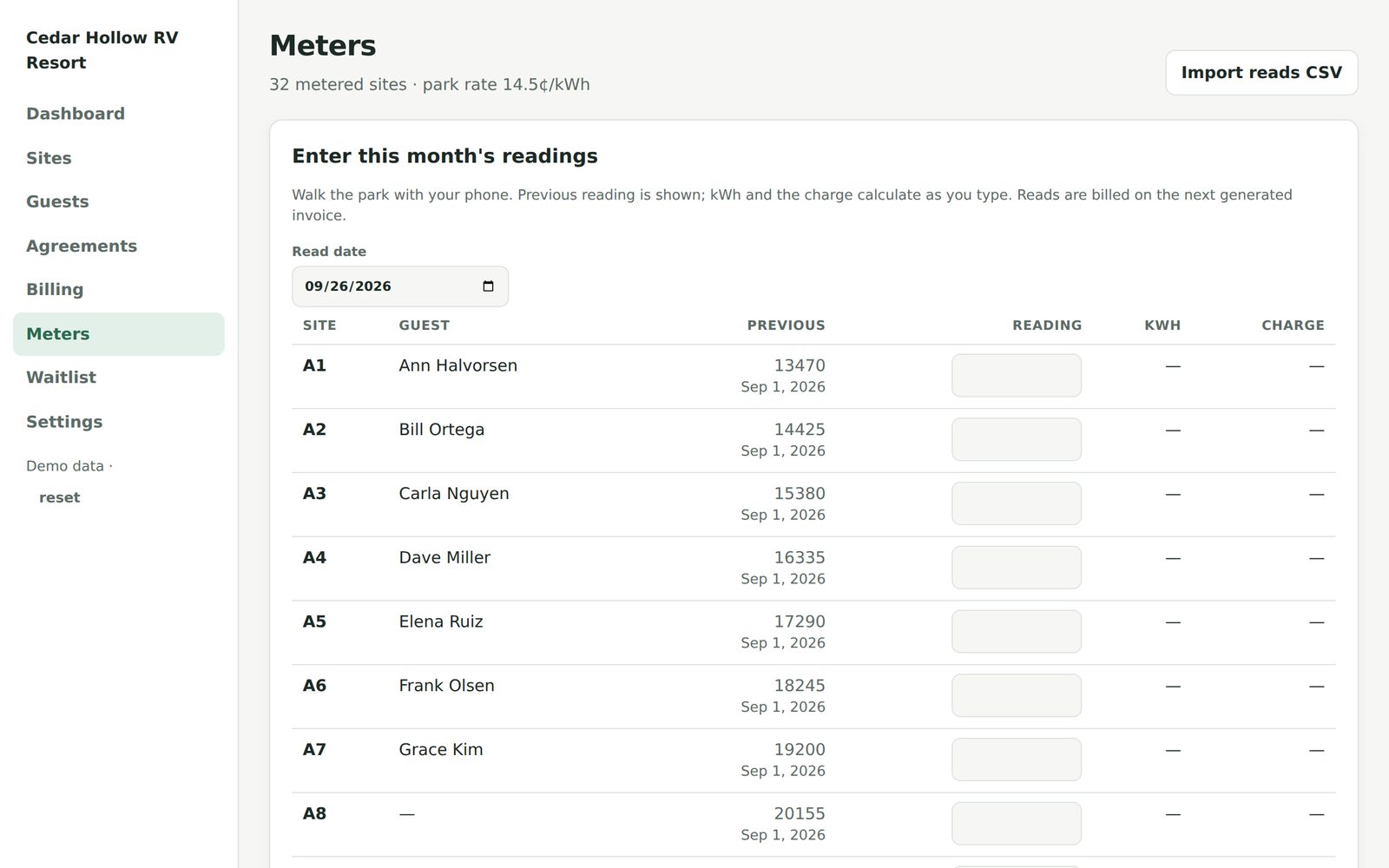
Read the meter. We do the arithmetic.
Enter readings from your phone as you walk the park, or paste a CSV from your meter vendor. The previous reading is remembered, usage is calculated, and the charge appears on that resident's next invoice at your rate. Residents see their own usage history, which ends most "my bill is wrong" conversations before they start.
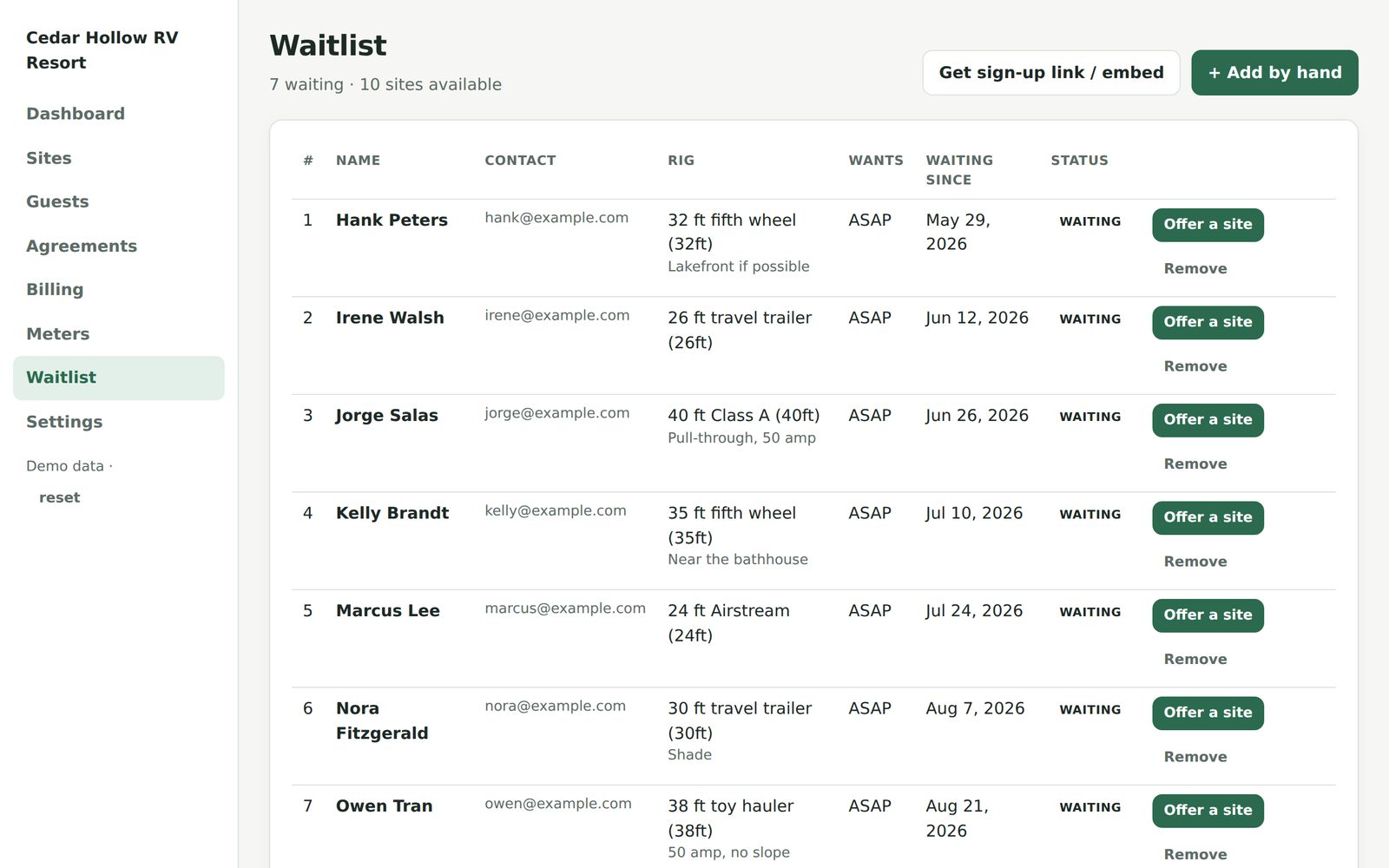
An empty lot should never wait for you.
Put a signup form on your website or Facebook page (we give you the link). When a lot opens, offer it to the next person in line with a 72-hour hold. They accept from their email, and the lease is one click away.
One flat price. No per-lot fees.
Priced for a family-run community, not a REIT. Payment processing is billed by Stripe at their published rates and paid from your own Stripe account — we don't add a percentage on top.
$59/month
or $590/year (two months free)
- Up to 100 lots
- Unlimited residents, leases and invoices
- Online signing with signed-PDF records
- Autopay, ACH, resident portal, receipts
- Submetered water and electric billing
- Print all open invoices in one click
- Waitlist with public signup form
- Email support from a real person
$99/month
or $990/year (two months free)
- Up to 300 lots
- Everything in the $59 plan
- Multiple staff logins with roles
- Priority support
No card needed to start. Your trial park is fully working — sign a lease, connect Stripe, take a real payment. If it doesn't earn its keep in two weeks, walk away and keep your data as a CSV.
The ones we get asked first
Is this a full property-management system?
No. It does the lot-rent office: leases, rent, utilities, reminders, waitlist, and a resident portal. It doesn't do maintenance tickets, screening, or general-ledger accounting. Most small communities pair it with a bookkeeper and QuickBooks; everything exports as CSV.
Does it handle my state's manufactured-housing law?
It handles signing and billing; the lease wording and notice periods are yours. Rent-increase notice periods, deposit limits and late-fee caps differ by state (Washington, Oregon, Michigan, Florida and California are among the strictest), so paste in the lease your attorney or state manufactured-housing association provides and set your late-fee day and amount to match. We show the rent, due date and fees plainly on every invoice.
Half my residents don't use email. Does this still work?
Yes — it's the reason the print button exists. Residents with email get the invoice and a pay link; for everyone else, "Print open invoices" produces one page per resident with the balance due, the due date and where to pay. Checks, cash and money orders are recorded in two clicks and the receipt prints too.
Are online signatures binding for a lot lease?
In the US, the federal ESIGN Act and state UETA laws give electronic signatures the same standing as ink when the signer intended to sign, consented to do business electronically, and the record is kept and attributable. We record all of that — typed name, explicit consent checkbox, timestamp, IP, and a fingerprint of the exact text. A few states require specific disclosures in a manufactured-home lease; those belong in your lease wording, and print-and-sign is always available.
Where does the money go?
Directly to your community's own Stripe account and then to your bank on Stripe's normal payout schedule. We never hold your funds. Card payments cost Stripe's published rate (about 2.9% + 30¢); ACH bank transfers are 0.8% capped at $5, which is why most parks nudge residents toward ACH.
Can I bill submetered water and electric in my state?
Most states allow a park to pass through metered utilities at cost; some regulate the rate, require a specific line on the bill, or require the meters to be tested. We show the rate and usage on every invoice and keep the full reading history, which covers the common requirements. Check your state's manufactured-housing statute or public utility commission for the specifics.
How long does setup take?
An afternoon for most communities. Import lots and residents from a spreadsheet (or type them in), paste in your lease, connect Stripe. The natural time to switch is your annual lease renewal: send this year's leases through the software and every resident is set up by the time they sign.
Why is it called Seasonal Sites?
We built it first for RV parks with seasonal guests — same problem, same binder. A mobile home community is the same job twelve months a year, so the lot-rent version uses the same software with the words changed. The company is small, family-run, and owns campgrounds itself.
Run next month's rent from your phone.
Start a trial park, paste in your lease, and send yourself a test lease to see what your residents will see.